
Download ColorConsole – command line, Windows, developer tool, productivity, coding, terminal, customization, text editor, scripting
Overview
ColorConsole is a specialized productivity tool designed to enhance the command line experience on Windows systems. Built for developers, system administrators, and advanced users, it addresses long-standing limitations in standard command-line interfaces by introducing essential features often missing from native tools. The app simplifies daily workflows by integrating functions such as copy, cut, find, and replace—actions that are typically cumbersome or non-existent in traditional command-line environments. Its primary purpose is to improve both efficiency and readability during scripting, debugging, and system management tasks.
Target users include software developers, IT professionals, and technical enthusiasts who rely heavily on command-line operations. The application is particularly beneficial for those who manage multiple terminal sessions or need to document command outputs for sharing or archiving. Real-world use cases include running batch scripts, monitoring logs, and executing complex system commands with visual cues for critical output. By offering a more intuitive and customizable interface, ColorConsole bridges the gap between raw terminal functionality and modern user expectations.
The developer, ColorConsole, has not provided additional background information about their development philosophy or team. However, the app’s focused feature set suggests a targeted approach to solving specific pain points in the Windows command-line ecosystem. Its free availability and lightweight design further enhance its accessibility, making it a valuable addition to the productivity tool landscape for Windows users.
Key Features & Functionality
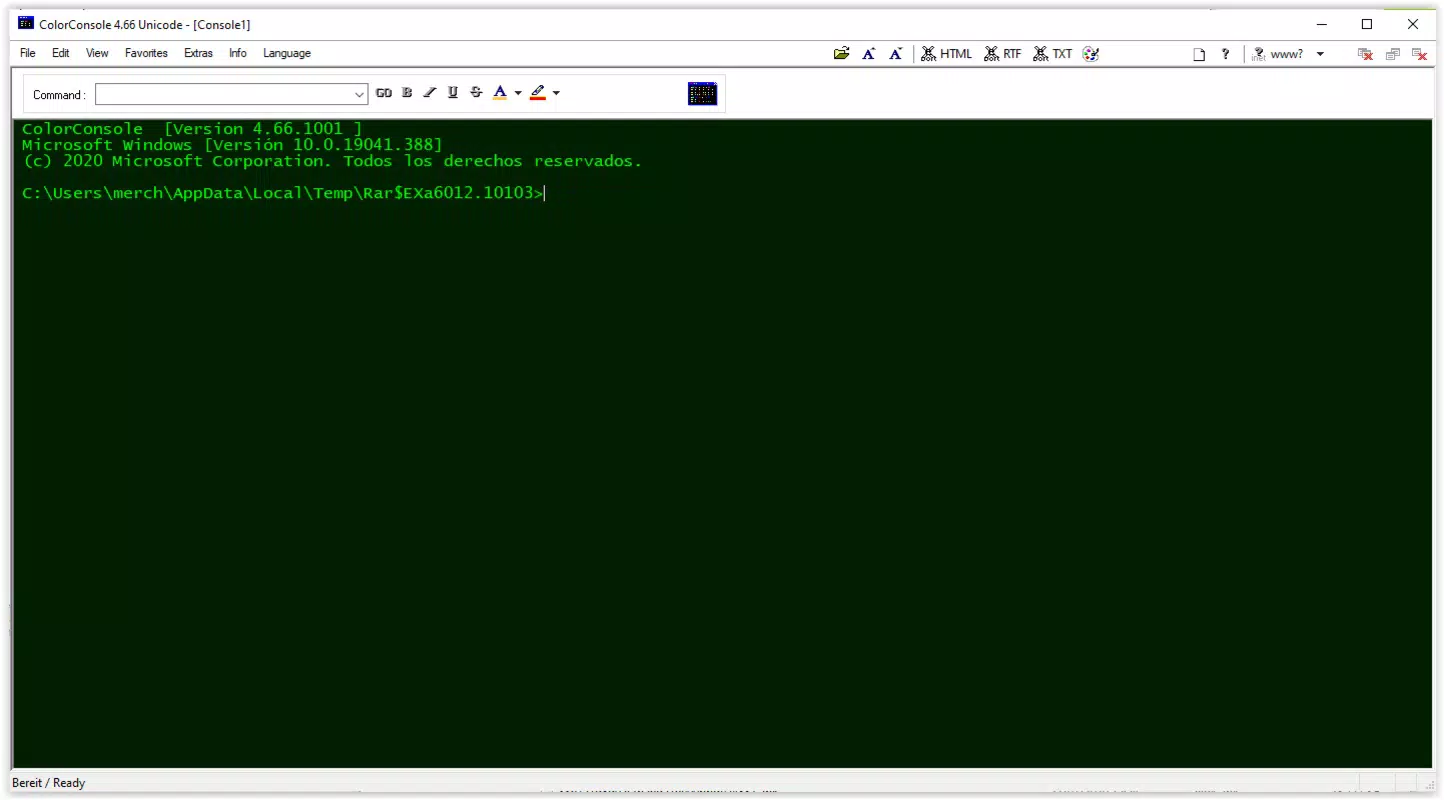
- User-Friendly Toolbar: A top-level toolbar provides one-click access to core actions like copy, cut, and paste. This eliminates the need to memorize keyboard shortcuts, lowering the barrier for beginners while increasing efficiency for experienced users.
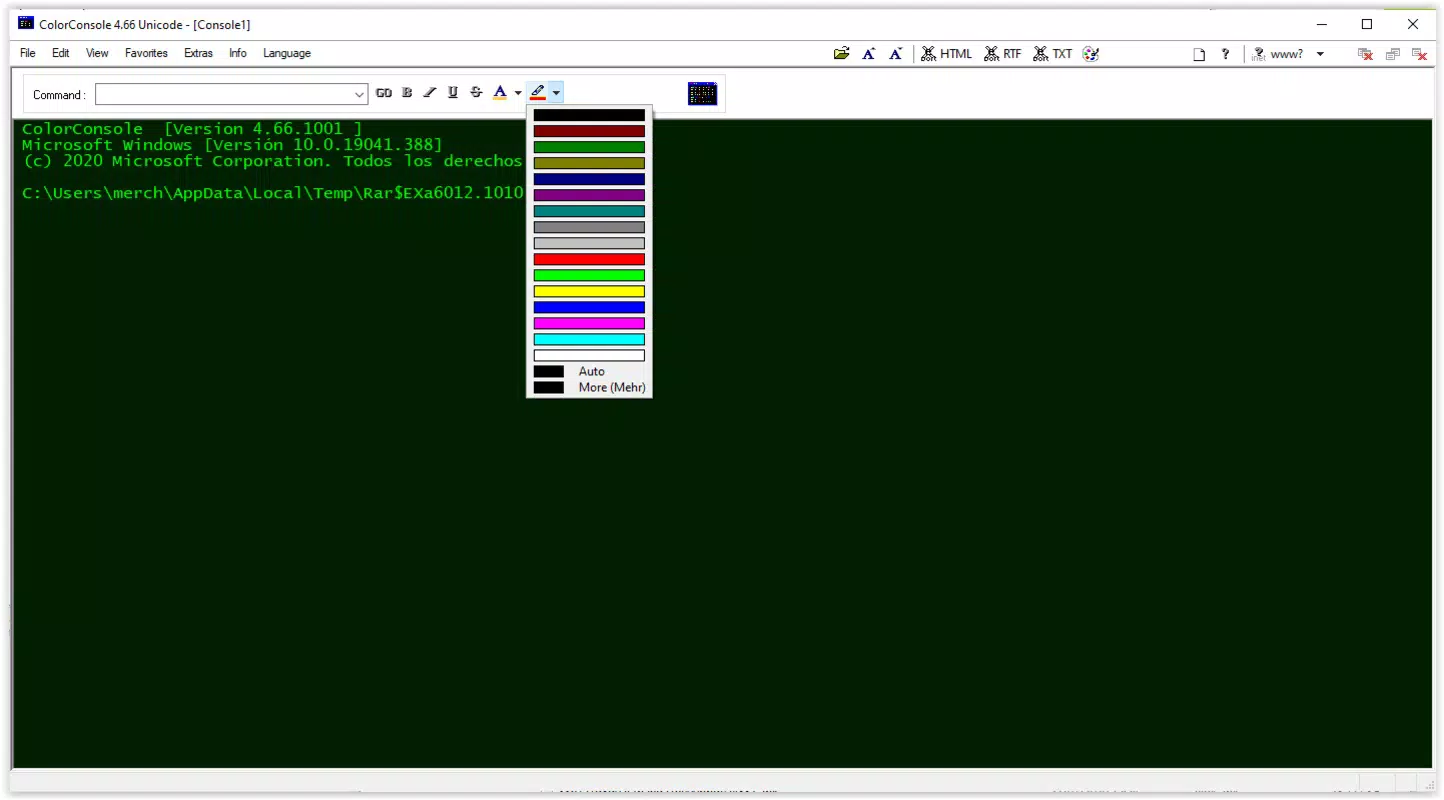
- Customizable Text Appearance: Users can adjust font colors, background hues, and apply styles such as bold, italic, or strikethrough. The ability to change individual letter colors without affecting entire words allows for precise visual emphasis on critical data.
- Multi-Tab Support: The application supports multiple command-line sessions within a single window, enabling users to run different scripts or monitor separate processes simultaneously. Tab switching is smooth and intuitive, resembling modern web browsing behavior.
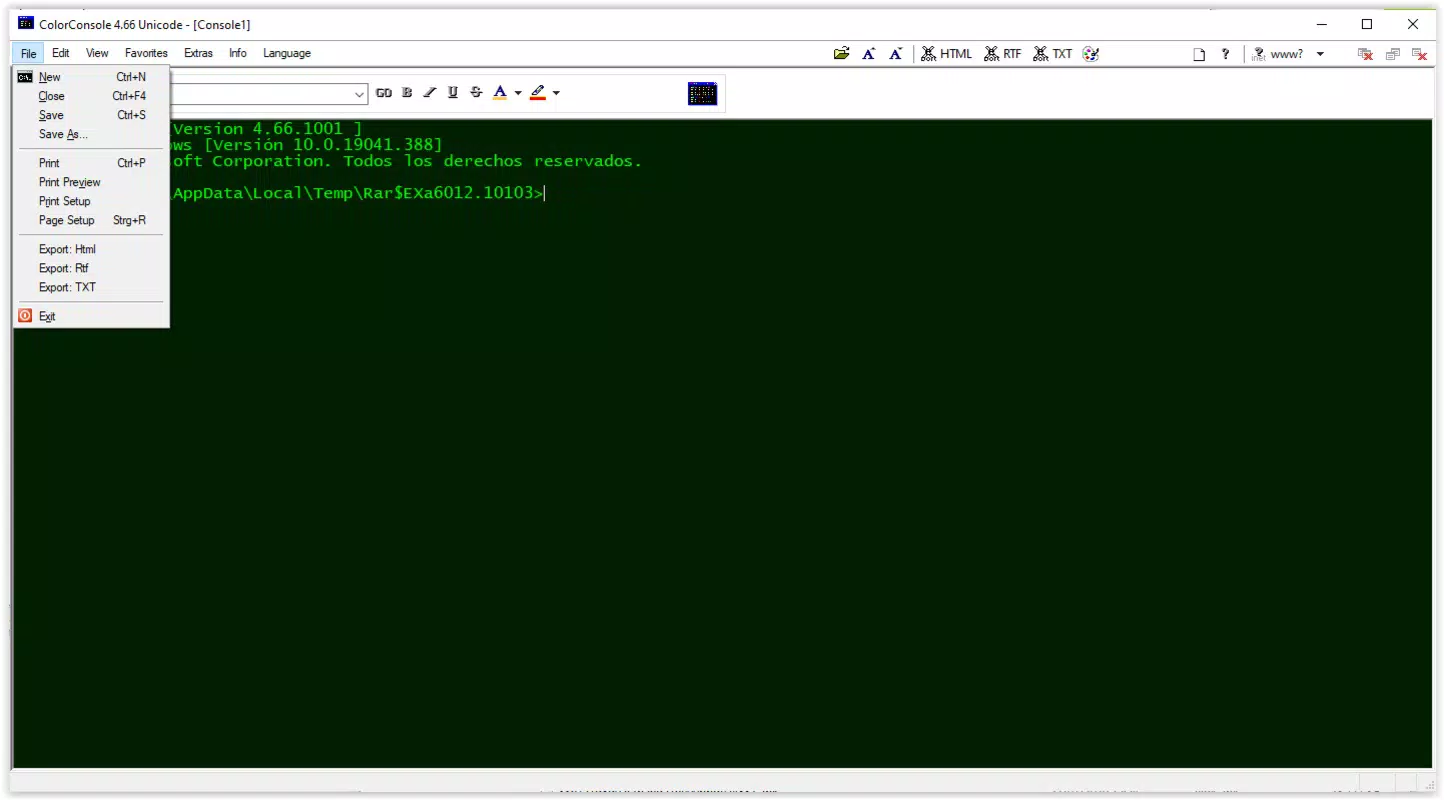
- Export Options: Command outputs can be exported to HTML and RTF formats. This functionality is ideal for generating reports, sharing results with non-technical stakeholders, or archiving workflows for future reference.
- Enhanced Command Line Functions: Built-in find and replace tools streamline text manipulation directly within the terminal window. This feature reduces reliance on external tools and speeds up common editing tasks during debugging or configuration.
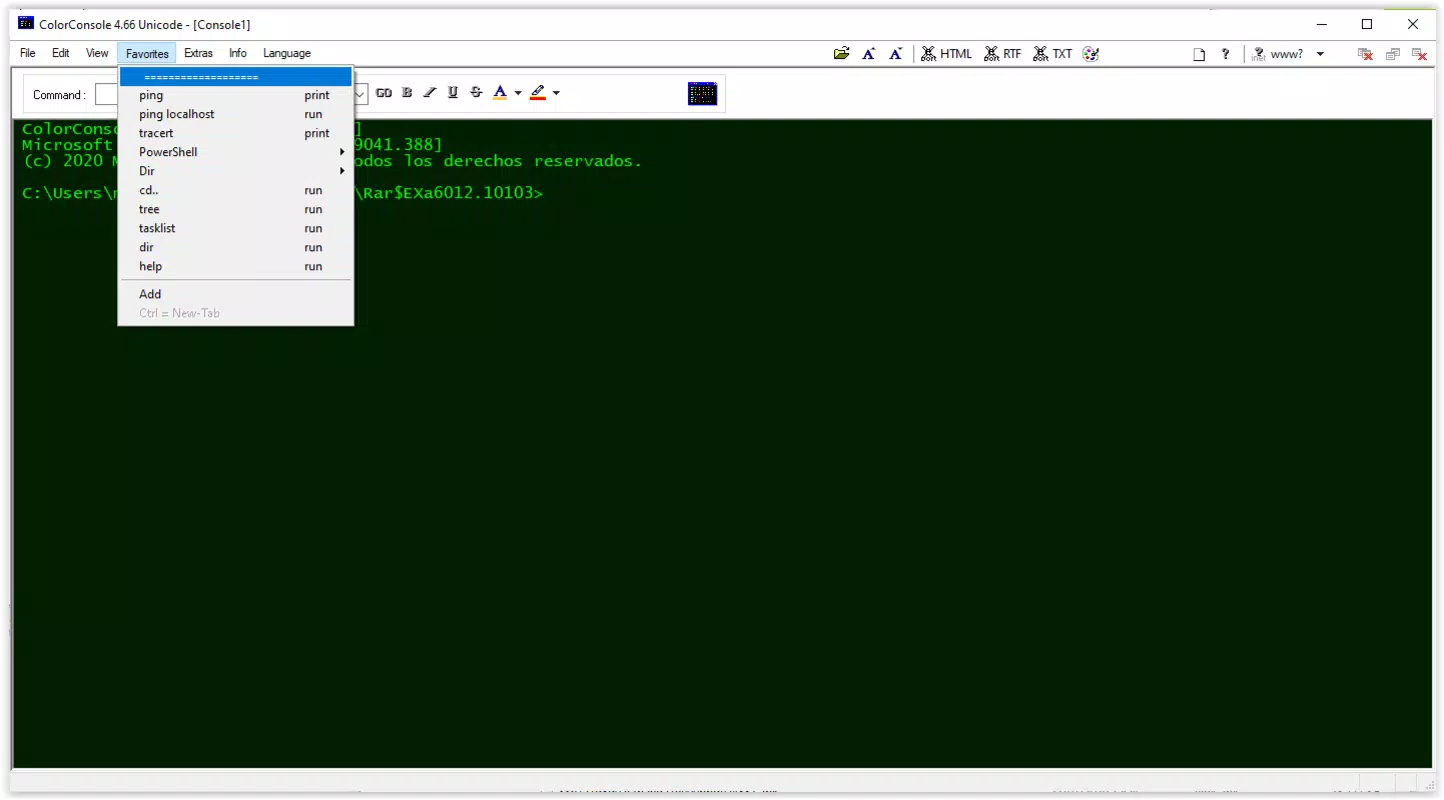
For example, a developer running a series of deployment scripts can use the multi-tab interface to monitor logs from different servers side by side. They can highlight error messages in red using custom text styling and export the session output to HTML for inclusion in a project report. These features collectively transform the command line from a basic interface into a powerful, flexible workspace.
Interface, UX & Performance
ColorConsole presents a clean, minimalist interface with a focus on usability. The top toolbar is clearly organized, ensuring that essential functions are immediately accessible. Navigation between tabs is intuitive, with visual cues that help users track active sessions. The overall layout prioritizes readability and functionality, minimizing clutter while maintaining full access to advanced tools.
The visual design emphasizes clarity through customizable text rendering. Users can tailor the appearance of their command-line output to suit personal preferences or specific use cases, such as highlighting warnings in red or success messages in green. This level of control enhances focus and reduces cognitive load during complex operations.
Although the developer did not list formal performance metrics, the app’s lightweight size of 15.4 MB suggests efficient resource usage. It is expected to operate smoothly on modern Windows systems, including mid-range and older hardware. Responsiveness appears to be consistent, with minimal lag during tab switching or text manipulation. Stability during extended sessions has not been publicly documented, but the app’s focused scope implies a reliable core experience. The absence of reported crashes or bugs in the initial release indicates solid foundational performance.
Platform Compatibility & Technical Requirements
ColorConsole is designed exclusively for the Windows platform. The current version is 1.0.0, with a file size of 15.4 MB. It is available at no cost, making it accessible to a broad audience of developers and technical users.
The developer did not specify minimum OS requirements or compatibility details for different Windows versions. It is assumed to function on recent releases of Windows 10 and Windows 11, given the app’s modern interface and lightweight nature. However, compatibility with older systems such as Windows 7 or 8 cannot be confirmed. Users should verify system requirements through official channels before installation. The absence of platform-specific details does not detract from the app’s usability, but caution is advised when deploying on legacy environments.
Pros and Cons
Pros
- Free to download and use, with no hidden costs
- Intuitive toolbar simplifies common command-line tasks
- Highly customizable text appearance improves readability
- Multi-tab functionality enhances multitasking capabilities
- Export options support documentation and sharing
Cons
- Compatibility with older Windows versions not confirmed
- Developer did not provide detailed technical specifications
- Platform availability limited to Windows only
- No built-in syntax highlighting for scripts
- Customization options may require learning curve for new users
FAQ
Is ColorConsole available for macOS or Linux?
Currently, ColorConsole is only available for Windows. There is no official support for macOS or Linux platforms.
Can I use ColorConsole for scripting and automation?
Yes, the app supports running scripts and managing command-line sessions. Its multi-tab interface and export features make it suitable for scripting workflows and documentation.
Is the app safe to download and install?
ColorConsole is free and distributed through official channels. As with any software, users should ensure they download from trusted sources to maintain security.
Does ColorConsole require administrator privileges?
The developer did not specify whether elevated permissions are required. It is recommended to install the app with standard user rights unless otherwise indicated.
How often is ColorConsole updated?
Updates are released as needed to address bugs and improve functionality. The latest version is 1.0.0, with the initial release on February 27, 2025.
Final Thoughts
ColorConsole stands out as a thoughtful enhancement to the standard Windows command-line experience. By integrating essential tools like copy, cut, find, and replace, it transforms a historically rigid interface into a dynamic and user-friendly environment. The customizable text styling, multi-tab support, and export capabilities make it a powerful utility for developers and IT professionals who rely on command-line operations daily.
Its lightweight design, free pricing model, and focus on productivity set it apart in the developer tool category. While it lacks cross-platform availability and advanced features like syntax highlighting, its core functionality is robust and well-executed. For users seeking a more efficient, visually engaging command-line experience on Windows, ColorConsole delivers tangible value.
Download ColorConsole now


